Bunny - Chef: A Playful Display Font for Food & Fun
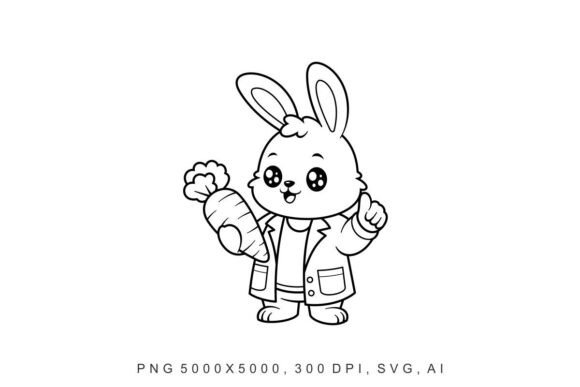
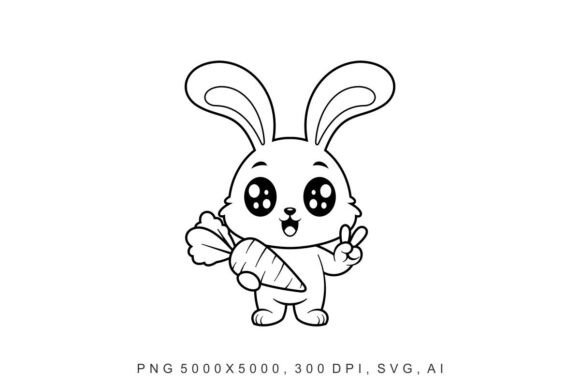
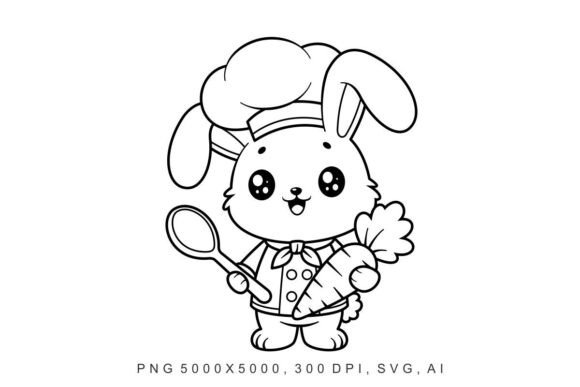
Imagine a font that doesn’t just say “carrots” — it winks while chopping them. That’s Bunny - Chef: a cheerful, hand-drawn display typeface built around a whimsical anthropomorphic bunny wearing a tiny chef’s hat and holding a whisk — or, in this case, a freshly pulled carrot. It’s not a traditional serif or sans serif. It’s a character-driven creative font, designed with expressive weight, subtle bounce in the baseline, and just enough irregularity to feel human-made — like something sketched on a recipe card during Sunday brunch.
The Bunny - Chef vector assets go beyond letters. You get full alphabet sets (uppercase and lowercase), numerals, punctuation, and thematic extras: carrot icons, steam swirls, whisk glyphs, and even little bunny ear flourishes. All delivered in scalable SVG, crisp PNG, and AI-ready formats — no pixelation, no size limits. Whether you’re printing a 48″ farmers’ market banner or dropping a 24px social media sticker into an Instagram Story, the integrity holds. And yes — it’s free to use, even commercially, with no attribution required. That rarity alone makes it worth bookmarking.
Where Bunny - Chef Earns Its Apron
This isn’t a body text font — and it shouldn’t be. Bunny - Chef shines where personality matters more than paragraph density. Think: packaging for organic baby food, bakery window decals, kids’ cooking class flyers, seasonal email headers for a farm-to-table newsletter, or playful product labels for gourmet snack boxes. Its charm lands strongest in contexts where warmth, approachability, and handmade authenticity are part of the brand voice — not an afterthought.
Designers consistently reach for Bunny - Chef in editorial design when illustrating food-themed features (think “5 Ways to Roast Carrots Like a Pro” in a lifestyle magazine), and crafters use it to label jars, embroider tea towels, or cut vinyl for chalkboard-style café menus. Small business owners love how quickly it communicates “we care about flavor *and* fun” — without needing a full brand refresh. It’s especially effective at breaking visual monotony in digital spaces: a single line of Bunny - Chef over a neutral food photo instantly lifts engagement on Pinterest pins or TikTok thumbnails.
Readability? Yes — With Intention
Let’s be clear: Bunny - Chef is optimized for short bursts, not long-form reading. Its letterforms have friendly contrast and open counters — the ‘a’, ‘e’, and ‘o’ breathe well — but its decorative elements (like the carrot-tail flourish on the ‘g’ or the whisk-like crossbar on the ‘t’) mean it works best at 24pt and up. At smaller sizes or in dense blocks, those details blur. That’s not a flaw — it’s intentional design discipline. Use it where impact > information density.
That said, it supports strong visual hierarchy. Pair it as a headline over a clean, highly legible sans serif like Inter, Lato, or Open Sans for body copy. The contrast between Bunny - Chef’s joyful looseness and your supporting font’s quiet reliability creates rhythm and focus — guiding the eye naturally from hook to detail. In logo design, it’s most effective when used sparingly: think wordmark + icon (not full tagline), or as a secondary lockup beneath a simpler primary mark.
Testing Fit Before You Commit
Before dropping Bunny - Chef into your next project, ask three practical questions:
- Does the tone match the audience? It reads young-at-heart, not childish — perfect for millennial parents choosing healthy snacks, but less suited for a luxury truffle brand targeting fine-dining sommeliers.
- Is the message short and scannable? If you need to set a full ingredient list or legal disclaimer, skip it. But if you’re labeling “Carrot Ginger Muffins • Baked Daily”, it sings.
- Does it coexist with your existing palette? Its warm, slightly earthy line weight pairs beautifully with muted greens, terracotta, cream, and soft charcoal — colors often found in sustainable food branding. Avoid pairing it with ultra-thin, high-contrast fonts or aggressive metallic gradients; they’ll clash tonally.
Test pairings early. Drop a Bunny - Chef headline into your mockup alongside your chosen body font — then step back. Does the balance feel grounded? Does the personality enhance rather than distract? If your client or team says, “That feels like *us*,” you’ve nailed the fit.
Licensing, Flexibility, and Real-World Use
Bunny - Chef ships with full commercial rights — no hidden fees, no subscription, no “free trial then paywall.” You can use it on client work, print thousands of packaging units, embed it in a Shopify theme (as web font via @font-face), or animate it in After Effects — all without clearing additional permissions. That flexibility is rare among quality display fonts, especially ones this expressive.
It includes one weight: a robust medium-bold that balances presence and clarity. There’s no light or italic variant — and that’s by design. Its strength lies in singular, confident expression, not stylistic range. If your project demands typographic nuance across weights, pair Bunny - Chef with a versatile family like Montserrat or Poppins for supporting roles. Don’t try to force it into jobs it wasn’t built for.
One final note: because it’s vector-based and AI-optimized, designers using Figma, Adobe Illustrator, or Affinity Designer can easily recolor glyphs, adjust spacing, or isolate individual elements (like that carrot icon) for custom illustrations. That turns Bunny - Chef from a font into a design asset toolkit — especially useful for creating cohesive social media kits or branded merch templates.
So whether Bunny - Chef is helping you celebrate root vegetables, launch a new meal-kit brand, or simply add a smile to someone’s grocery list — it does so with sincerity, craft, and zero pretense. It’s proof that great typography doesn’t always need to be serious to be professional. Sometimes, it just needs to hold a carrot — and mean it.