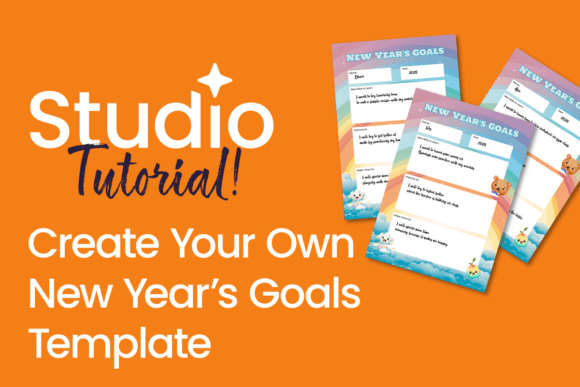
How to Create Unique New Year’s Goals Templates That Actually Stick
Every January, millions open fresh notebooks, download apps, or bookmark goal-tracking spreadsheets—only to abandon them by mid-February. Why? Because generic templates rarely reflect who you are, how you think, or what truly moves you forward. The real power isn’t in setting goals—it’s in designing a system that aligns with your rhythm, values, and daily reality. That’s where how to create unique New Year’s goals templates becomes more than a design task—it becomes a commitment to intentionality.
Why “Off-the-Shelf” Goals Rarely Work
Pre-made planners often assume uniform habits: morning journaling, weekly reviews, color-coded categories, and rigid quarterly check-ins. But what if you’re a night owl who reflects best after dinner? Or a parent juggling school drop-offs and freelance deadlines? Or someone whose motivation spikes after visual progress—not bullet points?
A template that doesn’t mirror your natural workflow creates friction—not focus. It adds cognitive load instead of reducing it. That’s why the most effective New Year’s goals templates aren’t downloaded—they’re designed. And Studio—a flexible, visual-first design tool—gives you full control over layout, interactivity, and aesthetics without needing coding skills.
Start With Your “Why,” Not Your “What”
Before opening Studio, pause and ask: What kind of year do I want to live—not just achieve? This shifts the focus from outcomes (“lose 15 pounds”) to identity and experience (“feel energized while playing with my kids,” “speak up confidently in team meetings”).
Try this quick reflection exercise:
- Circle three words that describe how you want to feel most days this year (e.g., grounded, curious, capable).
- List one recurring moment last year when you felt deeply aligned—what made it work?
- Note one small habit you kept consistently—even for just two weeks. What supported it?
Your answers become the north stars for your template’s structure. If “grounded” resonated, maybe your template includes a monthly “anchor check-in”—not a performance audit, but a gentle scan of energy, boundaries, and alignment. If “curious” stood out, build in space for learning experiments: a “try-one-thing” column, or a “question bank” section to revisit each quarter.
Designing in Studio: A Practical, Step-by-Step Flow
You don’t need design expertise—just clarity on what supports *your* follow-through. Here’s how to translate insight into structure inside Studio:
1. Choose a Flexible Base Layout
Start with Studio’s blank canvas or a minimal quarterly grid. Avoid overly dense layouts. Instead, use whitespace generously—it reduces overwhelm and invites honest reflection. Try a vertical “timeline + reflection” view: one column for quarterly themes (e.g., “Build Routines,” “Expand Influence,” “Deepen Connections”), and another for monthly checkpoints with room for notes, not just checkboxes.
2. Embed Realistic Tracking—Not Just Deadlines
Instead of “Goal: Run 5K by March 15,” try “Practice: 3x/week, 20-minute movement I enjoy.” In Studio, turn that into a simple table with columns: Date | What I Did | How It Felt | One Tiny Win. This honors effort—not just completion—and builds self-trust.
You can also add interactive elements: toggleable sections for “What’s Working?” and “What Needs Adjusting?” or a color-coded mood bar at the bottom of each month’s page—drag to reflect energy level, then review trends across quarters.
3. Weave in Accountability That Feels Human
Most templates treat accountability as external: reminders, shared docs, public pledges. But sustainable accountability is often internal—and relational. In Studio, create a “Support Map”: a visual diagram linking each goal to people, tools, or rituals that help you stay on track. Example: For “Write 2 blog posts/month,” your map might include: My writing buddy (biweekly call), voice-to-text app (for drafting on walks), quiet café near home (Saturday mornings).
This turns abstract goals into lived pathways—and reminds you that progress isn’t solitary.
Customize for Your Life Stage & Workflow
Your ideal template changes based on context. Here’s how to adapt it:
- If you’re in a demanding season (new parent, caregiving, major project deadline): Prioritize micro-triggers. Design a one-page “Anchor Sheet” in Studio—three non-negotiable actions that take under 90 seconds (e.g., “Breathe for 4 counts before checking email,” “Add one gratitude note to phone memo,” “Review tomorrow’s top priority at 5 p.m.”). Keep it visible on your desktop or printed beside your coffee maker.
- If you thrive on creativity or visual thinking: Replace text-heavy sections with icons, mood palettes, or progress bars shaped like mountains or trees. Use Studio’s shape and image tools to turn “Learn Spanish” into a climbing path—each completed Duolingo streak adds a new leaf or elevation marker.
- If your work is highly collaborative: Build in shared reflection prompts. Add a “Team Pulse” section where you and colleagues answer the same question monthly: “What’s one thing we did well together this month—and what helped make it possible?” Export as PDF or share via Studio link for async input.
Why Personalization Beats Perfection Every Time
We often delay starting because we wait for the “perfect” template—the one that looks polished, covers every category, and fits neatly into a productivity trend. But research shows that consistency with imperfection drives real change far more than flawless planning.
A template you tweak weekly—even if it’s messy—is more valuable than a pristine one you ignore after Day 3. Studio makes iteration effortless: duplicate pages, test new headers, swap fonts, adjust spacing. Your first version doesn’t need to be final—it just needs to be yours.
Think of it like choosing running shoes: You wouldn’t buy the most stylish pair online without trying them on. Likewise, your goals template must fit your stride—not someone else’s metrics.
Common Pitfalls—and How to Avoid Them
As you explore how to create unique New Year’s goals templates, watch for these subtle traps:
- Overloading categories: Five life areas (health, career, relationships, finance, personal growth) sounds balanced—but if only two matter deeply right now, honor that. Studio lets you collapse or hide sections. Start narrow. Expand only when energy and clarity grow.
- Ignoring seasonal rhythms: Your focus in January may differ from August. Build in “seasonal lenses”: a light filter overlay in Studio to shift tone—e.g., “Spring: Experiment & Explore,” “Fall: Consolidate & Reflect.” Rotate visuals or prompts accordingly.
- Forgetting the “exit ramp”: What happens when a goal no longer serves you? Include a “Release Clause” box in each section: “I’ll let go of this if…” (e.g., “…it drains joy without sparking growth,” or “…my circumstances have shifted meaningfully”). This removes guilt and builds self-awareness.
Your Template Is a Living Document—Not a Contract
The most powerful part of using Studio to build your goals template isn’t the final design—it’s the act of creation itself. Every choice you make—font size, spacing, color, section order—reinforces agency. You’re not following a system. You’re authoring one.
And because Studio saves versions automatically, you can compare your March template to your January one—not to judge progress, but to notice evolution: Where did your language soften? Where did flexibility increase? Where did compassion replace criticism?
That awareness—quiet, consistent, and self-authored—is the real foundation for a meaningful year. Not perfect execution. Not viral-worthy results. Just steady, thoughtful presence with your own growth.
So open Studio. Start small. Sketch one section. Tweak one header. Add one line that feels true. That’s not the beginning of a plan—that’s the beginning of a practice. And that’s exactly how to create unique New Year’s goals templates that support, inspire, and stay relevant—long after the confetti fades.